Primer on glTF Assets and Compression for VR Toy Worlds
Last updated: May 10, 2026
glTF compression for VR toy worlds should start with textures and reuse, not with a hunt for the smallest .glb. KTX2/BasisU reduces texture transfer and GPU memory pressure; Meshopt and Draco reduce mesh buffers. A smaller file can still feel worse if the headset spends a frame decoding, transcoding, or uploading an asset just as a child reaches for a plush character or block.
- KTX2/BasisU targets textures; Meshopt and Draco target mesh and buffer data.
- A 1024×1024 RGBA texture is 4.00 MiB raw, or about 5.33 MiB with a full mip chain.
- Use ETC1S for flat color and simple toy decals; use UASTC for normal maps, packed maps, and sharp art.
- Choose Meshopt when decode speed and animation buffers matter; choose Draco when mesh byte size is the proven limit.
- Validate every compressed asset for required glTF extensions before shipping to a browser or headset runtime.
Compression Is a Runtime Budget, Not a ZIP Trick
Compression for VR toys is a frame-pacing question. The win is not just fewer megabytes on a CDN; the win is keeping decode, transcode, GPU upload, draw submission, animation, and interaction work away from the frame where the child grabs the toy.
The glTF 2.0 specification describes glTF as a runtime delivery format with JSON scene structure plus binary resources for geometry, textures, and animation. It also says extensions are the route for geometry and texture compression. That distinction matters: glTF is the package and scene contract, not one magic compression codec.
Searches for gltf compression vr toys often flatten the topic into a single question: “How small can I make the .glb?” That is the wrong first question for VR Toy News readers, STEM toy teams, and smart toy platform builders. Ask where the wait appears. If the headset waits on download, reduce transfer. If it waits on texture upload, use GPU-ready texture formats. If it waits on mesh decode, change geometry compression. If it waits on draw calls, redesign the scene.
The failure mode is common in toy rooms: a compressed asset downloads quickly, then stalls when the child opens a toy chest and the runtime decodes a skinned plush, transcodes four textures, creates GPU resources, and binds a new material set. The byte count improved; the interaction got worse. A good asset pipeline moves that cost to preload time, cuts the work down, or avoids creating the work at all.
The Four Places a glTF Toy Asset Gets Heavy
A glTF toy asset gets heavy in four different ways: texture pixels, mesh buffers, animation data, and scene structure. Each one needs a different fix, so treating “glTF compression” as one switch hides the actual bottleneck.
| Asset area | What the reader notices | Best first lever | What to measure |
|---|---|---|---|
| Textures | Late pop-in, blurry decals, warm headset, high memory use | KTX2/BasisU, smaller source maps, mipmaps, shared atlases | Texture count, largest dimensions, mip coverage, GPU texture memory |
| Meshes | Slow model load, long first render, high transfer size | Quantization, Meshopt, Draco, simpler silhouettes | Triangle count, vertex attributes, morph targets, decoder support |
| Animation | Jitter, delayed poses, high CPU work on animated characters | Keyframe reduction, fewer bones, Meshopt for animation buffers | Joint count, animation clips, sampled keyframes, morph target channels |
| Scene structure | Frame drops in toy shelves, duplicated props, many material swaps | Instancing, material reuse, scene splitting, grouped loading | Node count, material count, repeated-prop count, draw-call batches |
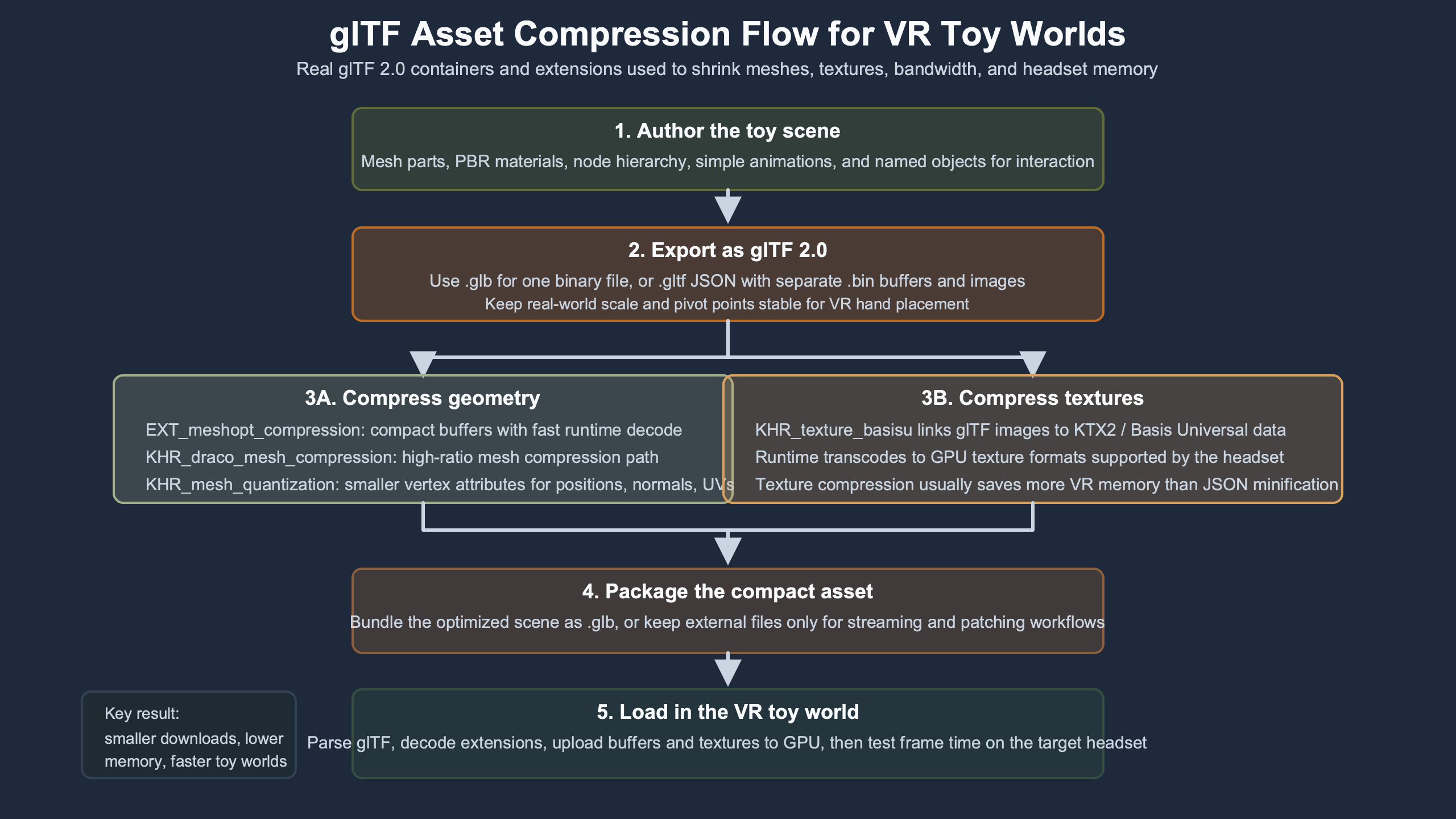
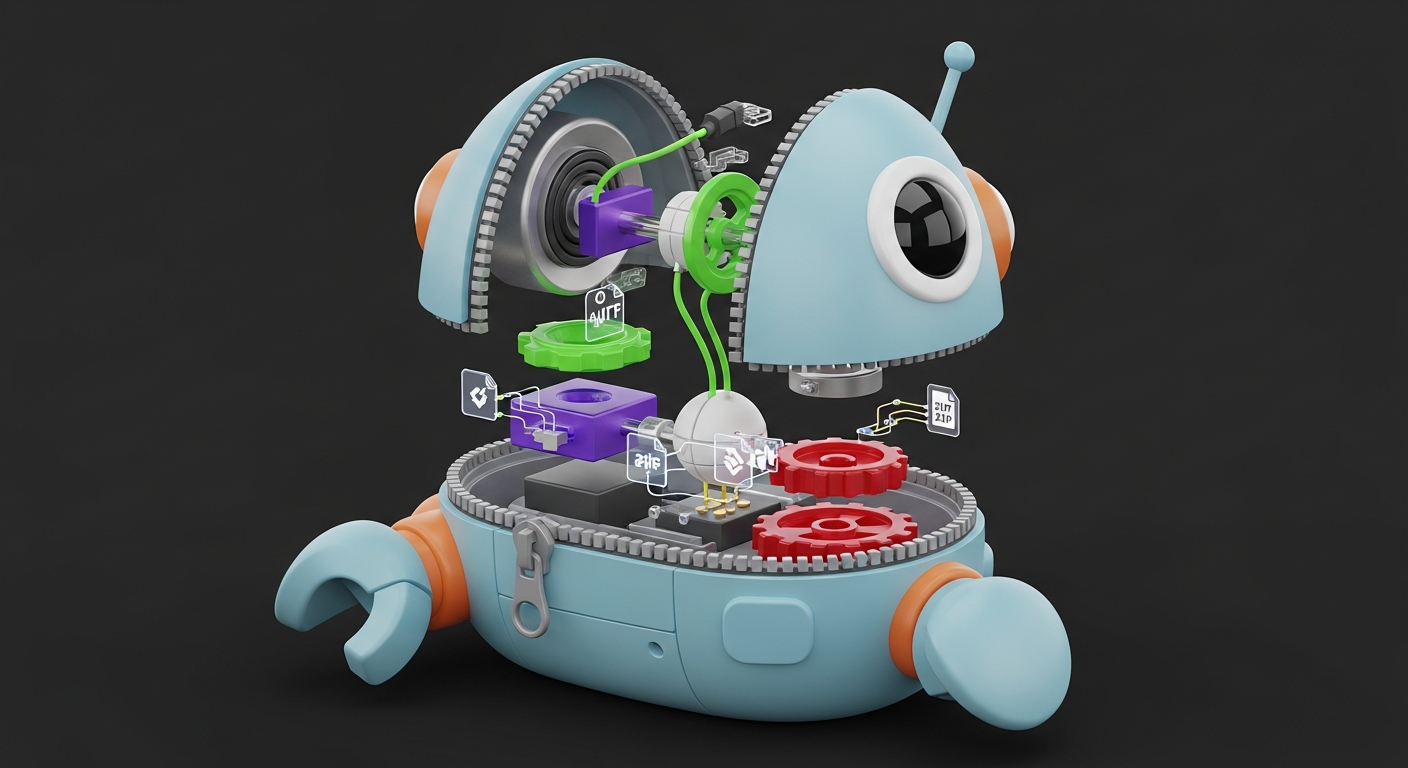
The diagram should be read as a pipeline, not a decoration: bytes arrive from storage or network, then split into texture, mesh, animation, and scene work before the headset can draw. The compression choice belongs at the stage where the pressure appears. A plush character with oversized fur maps is a texture problem; a modular block room with hundreds of repeated cubes is usually a scene-structure problem.
Textures are usually the first suspect in toy worlds because they multiply quietly. A plush companion may have a base color map, a normal map for fabric, an occlusion-roughness-metallic map, eye highlights, blush decals, and accessory stickers. A smart construction set may reuse simple shapes, but each sticker sheet and colorway can add more pixels than the mesh itself.
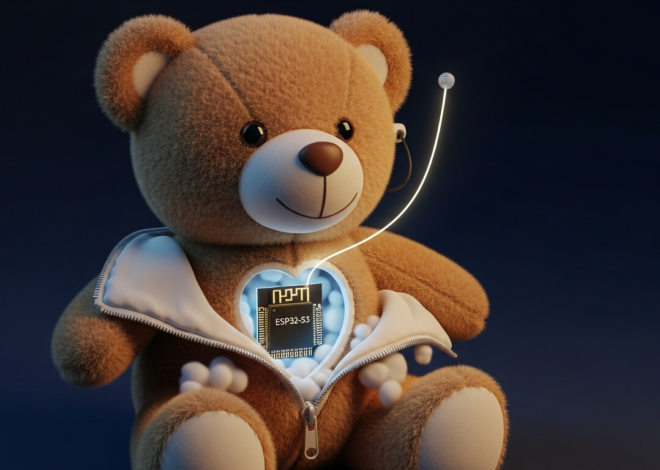
Meshes get expensive in a different way. A teddy-bot with a round body, stitched ears, and expressive face controls can carry many vertices, skin weights, morph targets, and animation streams. Mesh compression can cut transfer size, but a decoder still has to reconstruct useful buffers before render. That cost may be fine during a loading screen and poor during a mid-play toy swap.
Why Toy Worlds Usually Hit Texture Memory Before Triangle Limits
Toy worlds often run out of texture room before they run out of triangle room because plush fabric, shiny plastic, stickers, UI-like decals, and collectible variants all ask for image maps. Triangles are visible in an asset review; texture memory is easier to miss until the runtime loads everything.
A single 1024×1024 RGBA texture is 4.00 MiB before mipmaps. Add a full mip chain and the total becomes about 5.33 MiB. Four such maps on one plush toy can exceed 21 MiB before the room, props, hands, UI panels, and other characters are counted. The .png file may be far smaller on disk, but PNG is not what the GPU samples after upload.
The Khronos KTX artist guide makes this distinction directly: common image formats can be small to download while expanding in GPU memory, while KTX stays compressed in memory. Its StainedGlassLamp example reports a source asset around 13 MB growing to 96 MB in GPU memory, while the KTX versions reduce GPU memory sharply. The exact numbers are asset-specific, but the mechanism maps cleanly to VR toy worlds.
Google’s older but still useful VR performance guidance warns against starting with polygon count as a reflex. It points to texture bandwidth, mipmaps, draw calls, and CPU/GPU bottlenecks as separate issues. For toy assets, that means a 20,000-triangle plush may be fine while its four large maps are not, especially when the scene also has transparent stickers and shiny plastic materials.
Children’s VR play also changes the performance target. A flat product viewer can hide a decode hitch behind a spinner. A toy world cannot hide a hitch when a user reaches toward a moving companion or stacks blocks. That is why frame pacing matters more than average file size. The worst 30 milliseconds can be more visible than the best 30 percent size reduction.
KTX2/BasisU: The First Compression Lever to Test
KTX2/BasisU is the first compression lever to test when texture memory, upload time, or texture bandwidth is visible in profiling. It is not automatically the smallest file. Its value is that textures can travel in a universal compressed form and become GPU-suitable at runtime.
The KHR_texture_basisu extension adds KTX v2 images with Basis Universal supercompression to glTF, and says engines transcode the universal texture into a platform-supported block-compressed texture at runtime. The extension supports ETC1S with BasisLZ and UASTC with optional Zstandard compression. Those modes are not interchangeable.
| Toy asset texture | Visual risk | Preferred mode to test first | Stop using it when |
|---|---|---|---|
| Flat plush body color, simple plastic color, low-detail wall art | Banding or block edges in smooth color | ETC1S | Color edges shimmer in headset or brand colors drift too far |
| Normal maps for fabric, rubber tread, molded plastic grain | Noisy shading, blocky normal direction changes | UASTC | Target runtime lacks good GPU transcode support and falls back poorly |
| Sticker decals with alpha, eyes, blush, buttons | Haloing around transparent edges | UASTC for sharp alpha; ETC1S only after visual review | Alpha fringes are visible at normal play distance |
| Occlusion-roughness-metallic packed maps | Channel damage changes shine or dirt placement | UASTC | The material reads wrong under headset lighting |
For toy makers, ETC1S is attractive on big blocks of simple color: a red plastic brick, a matte plush body, or a pastel playroom wall. UASTC is the safer first test for packed maps and sharp decals. The KHR_texture_basisu spec’s implementation note gives the same general direction: color data often starts with ETC1S, while non-color maps such as normal and roughness-metallic often start with UASTC.
KTX2 can still backfire if used without staging. Transcoding and upload are runtime work. If a toy room lazily pulls in every collectible pet texture the moment a child opens a carousel, the frame can stall even though the source file is smaller than before. Preload nearby props, keep a small texture pool for likely interactions, and split optional accessories so they do not ride inside the core room asset.
Meshopt vs Draco: Choose Decode Behavior, Not Just Smaller Meshes
Meshopt and Draco both reduce geometry transfer, but they make different runtime promises. Meshopt is often the better fit when fast decode, animation buffers, and stream-like loading matter. Draco can be stronger when raw mesh byte reduction is the main constraint and decode timing is controlled.
The EXT_meshopt_compression extension works at the bufferView level and can cover vertex data, index data, morph targets, animation keyframes, and instance transforms. The spec also says its format is designed for very fast decode and for further compression by ordinary transfer compression. That is why I prefer Meshopt first for animated toy characters and modular rooms with lots of small buffers.
The KHR_draco_mesh_compression extension defines Draco geometry compression for glTF mesh primitives. It is mature, widely known, and can produce strong geometry shrinkage. The cost is that the runtime still needs Draco support and a decode step before the geometry is ready. In a toy world, that cost should land during a loading gate, not during a grab, swap, or reveal.
A plush character with a 52-joint rig, blink morphs, and several short idle animations is not just “a mesh.” It is mesh data plus animation streams plus skinning state. If file inspection shows animation buffers and morph targets are a large part of the asset, Meshopt deserves the first trial. If inspection shows one large static toy castle mesh dominating transfer size, Draco may be worth testing against Meshopt, then measuring decode timing on the target runtime.
Do not combine geometry compression with blind mesh merging for interactive toys. A child may need to pick up a single wand, wheel, or plush accessory. If the asset process merged that accessory into a larger static mesh, the runtime may lose an easy interaction boundary. Named nodes and authoring metadata are not cosmetic in a toy world; they often define what can be grabbed, recolored, hidden, animated, or narrated.
The Asset-Design Moves That Beat Compression
The best VR toy assets are often designed to need less compression before any codec touches them. Shared materials, texture atlases, instancing, modest texture sizes, clean rigs, and scene splitting reduce the amount of work that compression has to rescue.
Texture atlases are a good example. If a modular robot kit has 80 small sticker textures, the problem may not be their file size. The problem may be material switching, texture binding, and memory clutter. Put compatible decals into a shared atlas, remap UVs, keep the atlas at a sensible size, then test KTX2. Atlasing is not always a memory win if it creates one oversized sheet with lots of empty space, but it can cut state changes and simplify loading.
Instancing is stronger than compressing duplicated meshes. The EXT_mesh_gpu_instancing extension is designed for rendering many copies of one mesh with a small number of draw calls, while still allowing translation, rotation, and scale per instance. That is a natural fit for repeated blocks, wheels, pegs, toy coins, stars, and shelf props.
Engine behavior still matters. The Unity manual page on draw calls and render-state changes explains that preparation for a draw call can be more expensive than the draw itself, especially when render state changes. Even if a project is not built in Unity, the lesson carries across engines: repeated materials and predictable state are friendlier to mobile VR hardware than hundreds of unique toy materials.
Scene splitting is the underused move in gltf compression vr toys work. A .glb that contains the whole toy apartment, all pets, all outfits, every sticker set, and every language prop may look convenient in a CMS. It is not kind to a headset. Split the permanent room shell, nearby toys, optional accessories, and seasonal collectibles into separate assets with preload rules tied to actual play distance.
A Reproducible Test Pipeline for a Plush Character and Modular Toy Room
A reproducible asset test does not need to begin with a headset trace. It begins with a manifest: file size, triangle count, texture count, largest texture, animation count, extension list, and validation status. Then it adds runtime timing only where a real bottleneck appears.
How I evaluated this guide: I reviewed Khronos glTF, KTX, Meshopt, Draco, validator, gltfpack, glTF Transform, Unity, and Google VR source material between May 8 and May 10, 2026. The toy-world rows below are a synthetic review fixture used to force decisions across plush characters, modular blocks, decals, repeated accessories, and scene splitting. Numbers marked “calculated” come from texture dimensions and declared asset counts, not from a headset benchmark.
| Fixture asset | Uncompressed review facts | Compression pass to test | Evidence required before shipping |
|---|---|---|---|
| Plush companion character | 18,000 triangles; 52 joints; 3 idle animations; 1024 base color; 1024 normal; 512 packed material map; 512 eye-and-cheek decal. Calculated texture memory with full mips: about 13.33 MiB before compression. | KTX2 ETC1S for flat color if fabric banding passes visual review; UASTC for normal, packed material, and alpha decal; Meshopt after keyframe reduction. | Extension list includes KHR_texture_basisu and either EXT_meshopt_compression or KHR_mesh_quantization; validator returns no errors; headset review checks blink timing and decal halos. |
| Modular toy room | 6 reusable block meshes; 120 placed blocks; 12,000 visible triangles before instancing; 2 shared plastic materials; 4 decal sheets. | Instance repeated blocks first; atlas compatible decals; use KTX2 only after checking atlas waste; add Meshopt if buffers remain large. | Repeated props remain selectable where play requires it; extension list includes EXT_mesh_gpu_instancing only if target viewers support it; draw-call count is checked in engine tools. |
| Accessory shelf | 40 optional hats, wheels, wands, badges, and pet collars; 500-1,200 triangles each; many variants are not visible at room load. | Split from the room shell; load by shelf proximity or menu selection; reuse one accessory material and one decal atlas where art allows. | First room render does not depend on hidden accessories; missing optional asset fails gracefully; validation report records no required extension unsupported by the chosen runtime. |
The public tools fit neatly into this review. gltfpack’s documentation describes mesh quantization, mesh merging, animation resampling, Meshopt compression, KTX2 texture conversion, and instancing support. glTF Transform gives a more modular way to inspect and rewrite assets. The Khronos glTF Validator writes a JSON report with issues and asset stats, which is the piece that turns “it loaded on my laptop” into a repeatable gate.
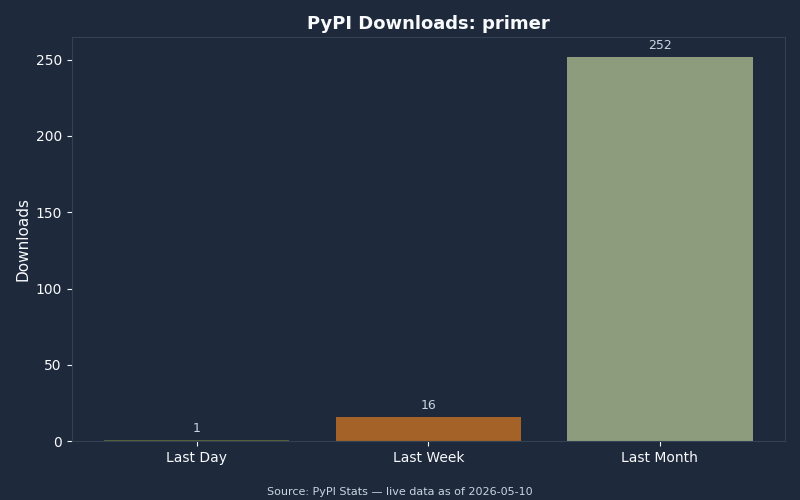
The PyPI download chart is a useful warning about metrics: adoption curves can tell you whether a tool or package is being pulled into pipelines, but they do not prove a VR asset will render on time. For toy-world compression, the chart belongs beside validator status, extension support, and runtime frame timing, not in place of them.
A practical validation record for each asset should include the source file size, output file size, texture count, triangle count, animation count, extensionsUsed, extensionsRequired, and validator result. If a KTX2 pass adds KHR_texture_basisu to extensionsRequired, the target runtime must support it. If a Meshopt pass adds EXT_meshopt_compression, the loader must include the decoder. If the asset falls back to magenta textures or invisible meshes, the compression was invalid for that shipping path even if the file got smaller.
Visual review should be close to play behavior. Do not inspect the plush only in a desktop orbit viewer. Put the character at normal toy scale, in the actual room lighting, with the real animation speed and interaction distance. Check fabric normals during motion, alpha edges around eyes and stickers, block colors under headset display brightness, and whether a newly loaded accessory creates a visible hitch.
The Shipping Rubric: What to Compress, What to Leave Alone, and What to Split
The shipping rule is simple: compress the data that blocks the measured budget, leave tiny or latency-sensitive data alone when compression adds risk, and split assets whose load timing does not match play timing.
| Measured condition | Best action | Why it fits | When to stop |
|---|---|---|---|
| Large GPU texture memory, many 1024 or 2048 maps, slow texture upload | Test KTX2/BasisU, reduce source dimensions, add mipmaps, atlas compatible decals | Targets memory and texture upload, not just transfer size | Artifacts affect brand colors, eyes, text, or alpha edges at normal play distance |
| Large mesh buffers, slow model transfer, static geometry | Test Meshopt and Draco separately after quantization and mesh cleanup | Targets vertex and index data without changing texture strategy | Decode cost appears during play, or interaction nodes are lost |
| Repeated blocks, wheels, stars, coins, pegs, or shelf props | Use data reuse or GPU instancing before deeper compression | Eliminates duplication and reduces draw submission pressure | Instances need unique materials, per-object animation, or independent culling that batching harms |
| Whole toy room ships as one asset with hidden pets and accessories | Split room shell, active toys, optional props, and collectible packs | Moves unused bytes and upload work out of first render | Network latency makes late loads visible; then preload by distance or menu state |
| Small UI-like stickers or labels with sharp edges | Try atlas and modest resolution before heavy compression | Sharp decals expose compression artifacts faster than soft fabric | Text or symbol edges become fuzzy, blocky, or haloed |
For a headset-class VR toy world, I would start with asset design, then KTX2/BasisU for texture-heavy assets, then Meshopt for animated or buffer-heavy assets, then Draco only where the geometry byte savings justify the decode path. That order is not ideology; it follows where toy scenes usually spend memory and time.
The practical answer to gltf compression vr toys is not “compress everything.” Design the plush, blocks, decals, and accessories so they reuse data; compress textures where memory and upload matter; compress meshes where buffers are proven heavy; split the world so optional toys do not tax the first frame. The smallest file is only a win when the headset can still respond on time.
References
- Khronos glTF 2.0 specification
- KHR_texture_basisu extension for KTX2/Basis Universal textures
- Khronos KTX Artist Guide for glTF texture compression
- EXT_meshopt_compression extension
- KHR_draco_mesh_compression extension
- EXT_mesh_gpu_instancing extension
- Google VR performance best practices
- Khronos glTF Validator repository