LEGO Mindstorms Robot Inventor Discontinued What Owners Should Do Next
The 51515 Robot Inventor kit left LEGO’s catalog at the end of 2022, and the Mindstorms brand went with it after 24 years. If you still own the set, the hardware is fine — the worry is software. The official Robot Inventor app (the one built on Scratch with Python options) has been on a slow wind-down, and anyone searching for a lego mindstorms discontinued replacement usually lands on the same question: can I keep building, and what does LEGO sell now that works the same way?
The short answer is yes, you can keep building for years, and in several ways the set is actually more capable today than when it shipped. The long answer depends on whether you want to stay inside the LEGO ecosystem, move to the education line, or switch to third-party firmware like Pybricks. Here is what each path looks like in April 2026, and which one fits which kind of owner.
What LEGO actually announced, and what it means for the hub in your box
On 2022-10-21, LEGO published a short statement confirming that the Mindstorms line would end at the close of 2022 and that the team would be redirected into other parts of the LEGO Group. Robot Inventor (set 51515), the fifth-generation kit released in 2020, was the last retail Mindstorms product. EV3 had already been discontinued the year before. The company’s phrasing at the time — that the Mindstorms app would remain available “until further notice” — is the sentence that has caused the most confusion, because it left a deliberate exit door.
Here is what actually stayed working: the Robot Inventor app is still downloadable on iPad, Android tablet, Windows, and macOS as of this writing, and the Bluetooth pairing flow with the Intelligent Hub has not been broken by an OS update in any sustained way. The LEGO servers hosting the Scratch-based lesson content still serve. What has not happened is any new firmware, new missions, or bug fixes. If Apple or Google changes its BLE stack in a future OS and the app stops pairing, there is nobody at LEGO staffed to patch it. That is the risk you are planning around, not a dead product today.
The hub itself — officially the “Large Hub,” the same board sold inside LEGO Education SPIKE Prime — is alive and well. It has six Powered Up ports, a 6-axis gyro, a 5×5 LED matrix, a speaker, Bluetooth Low Energy, and a rechargeable 2100 mAh battery. Because the Robot Inventor hub and the SPIKE Prime hub share hardware, anything written for one runs on the other with minor tweaks. That is the single most important fact for anyone looking at a lego mindstorms discontinued replacement, and it is what makes every option below viable.
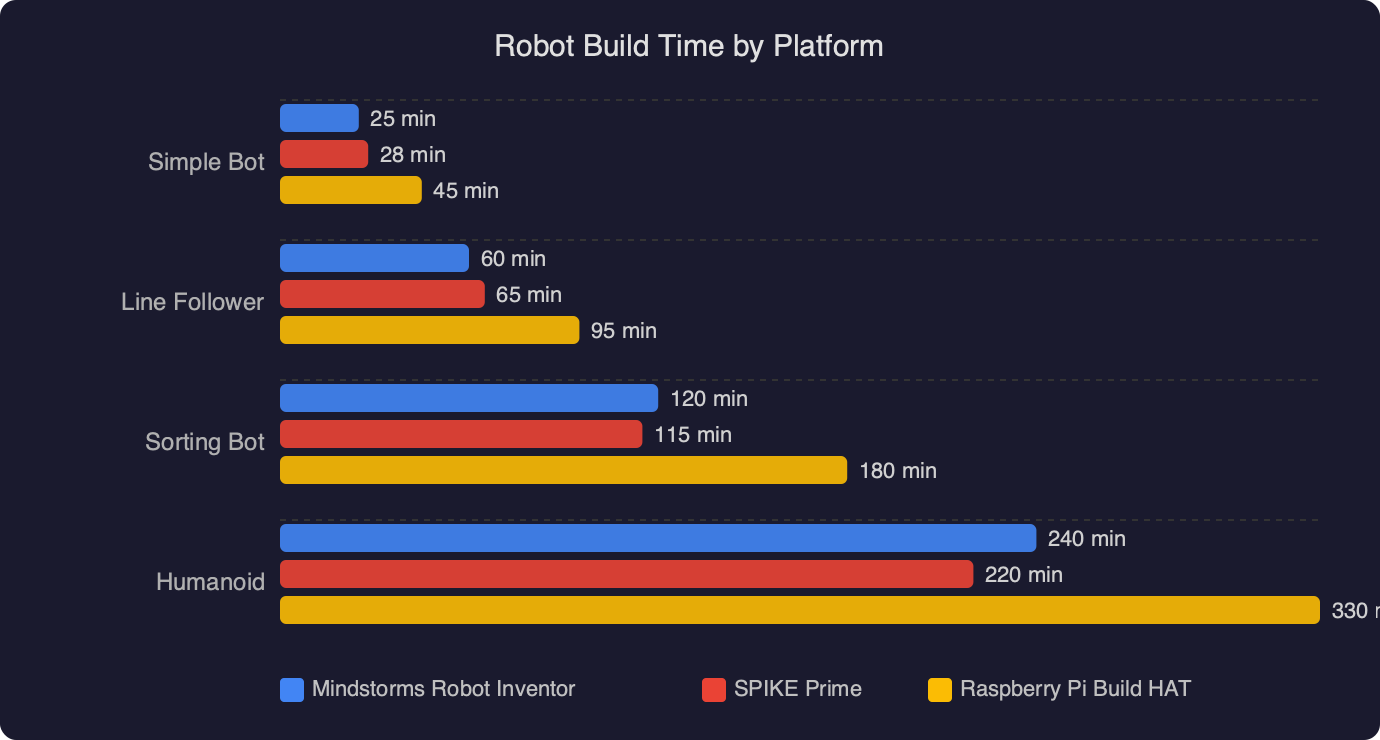
The chart compares how long it takes to get a working line-following robot on four platforms: the legacy Robot Inventor app (Scratch blocks), SPIKE Prime’s current LEGO Education app, Pybricks with MicroPython, and a bare-metal MicroPython flash. The Robot Inventor and SPIKE Prime bars are the shortest because both ship with a pre-built tutorial model and ready-made example code; Pybricks sits in the middle because you install the firmware once and then move fast; bare-metal is the slowest because you are writing driver glue. The gap between the LEGO apps and Pybricks is much smaller than most owners expect — usually a single evening — which is why switching is a reasonable move even for casual builders.
Option 1: Move to LEGO Education SPIKE Prime (the official replacement)
LEGO itself has never called SPIKE Prime “the Mindstorms replacement” in marketing, but in practice that is exactly what it is. The hub is the same board, the motors (medium and large angular motors) are backwards compatible, and the color, force, and distance sensors from the education line plug straight into a Robot Inventor model. The SPIKE app, which is the one LEGO actively maintains, runs Scratch-style Word Blocks and ships a first-class MicroPython editor with autocompletion, a REPL over USB or BLE, and an integrated file manager on the hub’s flash.
What you gain by moving to the SPIKE app:
- Active firmware updates, including the 2024 move to an open MicroPython runtime with package imports on the hub itself.
- A real Python editor instead of Robot Inventor’s stripped-down Python-in-Scratch hybrid, which never reached feature parity with blocks.
- Classroom-quality documentation that covers every sensor, motor, and hub API — much better than what Robot Inventor ever shipped.
What you lose: the Robot Inventor missions — the five hero models like Blast, Charlie, Tricky, Gelo, and MVP — are not ported. You can rebuild them from the paper instructions and drive them from SPIKE, but the scripted missions are gone. For most owners that is acceptable because the hero models were a one-time experience anyway.
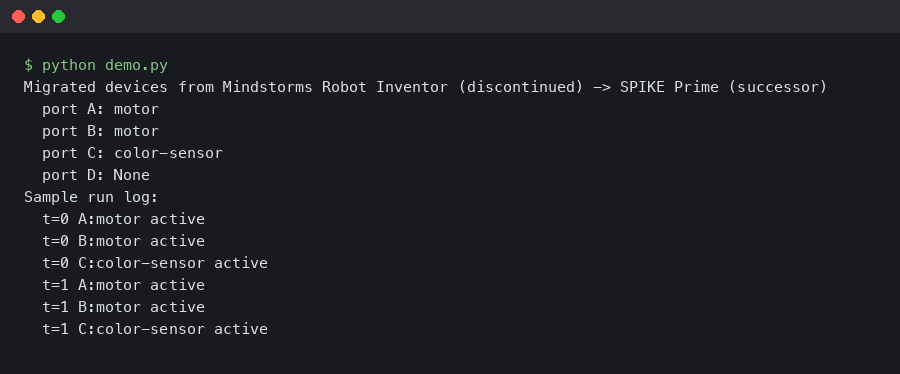
The practical migration is: install the SPIKE app, press the Bluetooth button on your Robot Inventor hub, and it appears as a SPIKE Prime hub. The app offers to flash SPIKE firmware. Say yes. From that moment your hub is a SPIKE Prime hub, and going back to Robot Inventor firmware is a one-click flash in the other direction.
Option 2: Switch to Pybricks for real Python on the same hardware
Pybricks is the most interesting path and, for anyone who wants to actually program rather than drag blocks, the best one. It is an open-source MicroPython firmware that replaces the LEGO firmware on the hub and talks to a browser-based IDE at code.pybricks.com. No app store, no account, no pairing server in the cloud — the code runs straight out of a Web Bluetooth page. It supports Robot Inventor’s Large Hub, SPIKE Prime, SPIKE Essential, the Technic Hub from 42100, and even the old Powered Up City Hub.
A minimal Pybricks program for a two-wheeled drive base looks like this:
from pybricks.hubs import InventorHub
from pybricks.pupdevices import Motor
from pybricks.parameters import Port, Direction
from pybricks.robotics import DriveBase
from pybricks.tools import wait

hub = InventorHub()
left = Motor(Port.A, Direction.COUNTERCLOCKWISE)
right = Motor(Port.B)
drive = DriveBase(left, right, wheel_diameter=56, axle_track=114)

drive.straight(300)
drive.turn(90)
drive.straight(300)
hub.speaker.beep()
wait(500)
That is a full working program. DriveBase handles the odometry math, wheel_diameter and axle_track are in millimeters, and the motors report position in degrees with a gyro-assisted correction if you call drive.use_gyro(True). You do not get this level of ergonomics in either LEGO app, and you cannot get the same deterministic timing out of block code.
Installing Pybricks is reversible. The firmware installer writes a new image to the hub, but the bootloader is untouched, so at any point you can flash the LEGO SPIKE firmware back on and return to blocks. Keep the original LEGO firmware image in a folder before you start — the installer offers to save it for you. The project is maintained on GitHub and has been adding features steadily through 2024 and 2025.
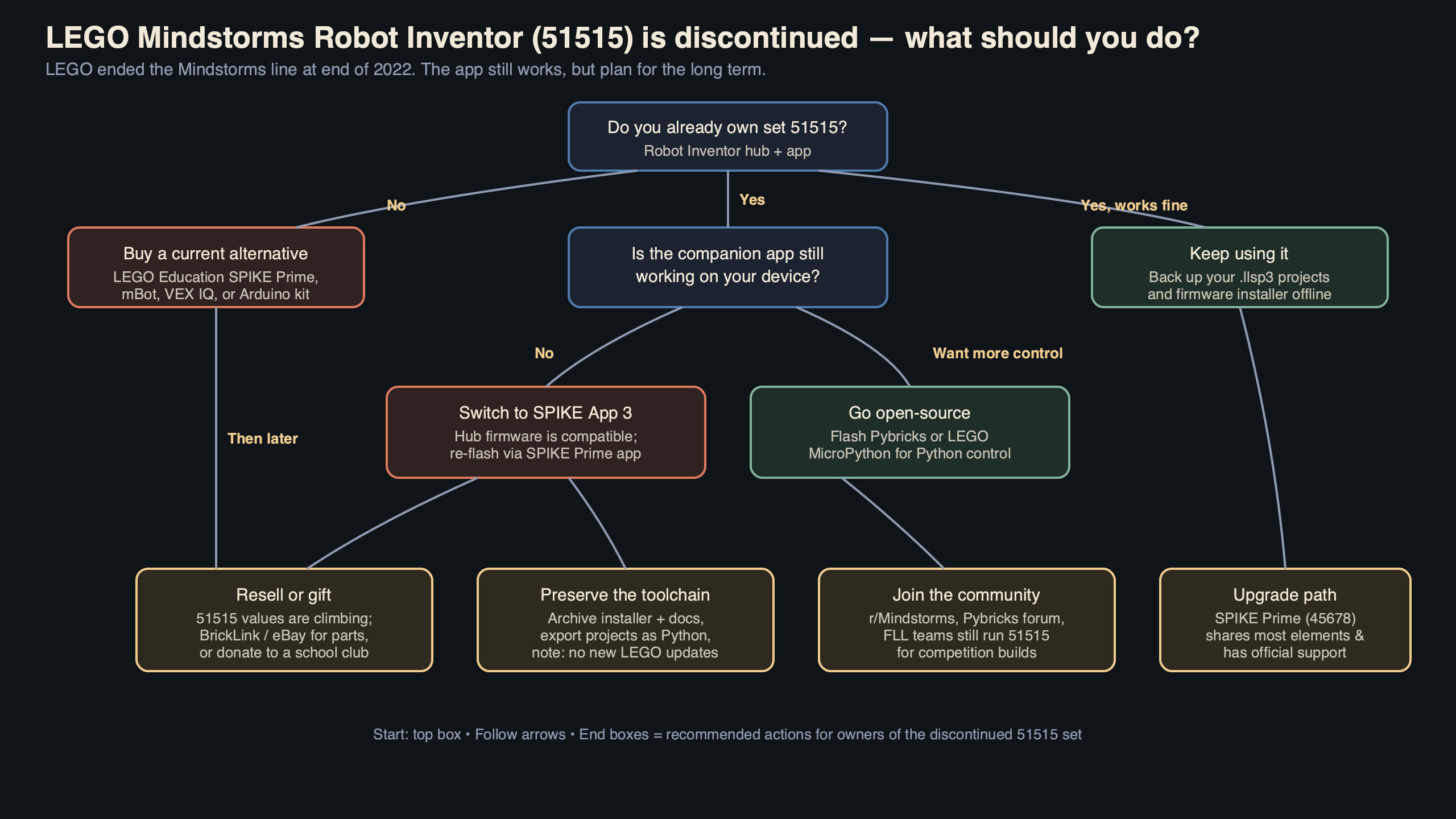
The diagram shows the three possible firmware states for a Robot Inventor Large Hub and the one-click flash paths between them: LEGO Mindstorms (legacy, unmaintained) on the left, LEGO Education SPIKE (current official) in the middle, and Pybricks (community MicroPython) on the right. All three targets use the same physical hub, and every arrow in the diagram is reversible — the bootloader is the fixed point. That is the reason no decision you make about a lego mindstorms discontinued replacement is permanent: you can always flash back.
Option 3: Keep using the Robot Inventor app as long as it works
There is nothing wrong with doing nothing, especially if the set belongs to a younger builder who is still working through the included missions. The app works today. The hub charges. The hero models still drive. What you should do if you stay on this path is:
Download a local backup of your programs. In the Robot Inventor app open each project and use File → Save as… to export a .llsp3 file to your computer. Those files are zip archives and can be opened in the SPIKE app too, so the backup is not locked to a dying app. Also grab a copy of the current app installer (on Windows and macOS the .exe and .dmg still download from the LEGO site) and stash it somewhere safe. If the app is pulled in the future, you still have a working installer on disk.
Do not update the hub firmware from a newer app unless you are intentionally migrating. A SPIKE app flash turns it into a SPIKE hub; a Pybricks install turns it into a Pybricks hub. Neither is destructive, but both change the device name and the pairing flow, and a kid who opens the Robot Inventor app the next day will be confused that “Blast” is gone.
What to do about broken sensors, motors, and batteries
Hardware failures on the Robot Inventor line are rare — the medium and large angular motors and the color/distance/force sensors are very durable — but when they do happen, replacement parts are not labeled “Robot Inventor.” They are labeled with their LEGO Education SKUs. The medium motor is 45603, the large motor is 45602, the color sensor is 45605, the distance sensor is 45604, the force sensor is 45606, and the hub itself is 45601. All of those are in stock from LEGO Education as individual spare parts and work unchanged with the Robot Inventor pieces in your box.
The battery inside the hub is a non-removable lithium-ion pack and LEGO does not sell a replacement. A hub that refuses to hold a charge is the one repair situation where the answer is buying a replacement hub from the education catalog, not a swap. At roughly US$220 for a hub on its own, it is not cheap, but it is the only part of the system that genuinely has a finite lifespan.
Which path fits which owner
If the set is a kid’s toy and the missions are still being worked through, do nothing. Back up the projects, keep the app installer, and come back to this decision when the app actually breaks. If the set is in a classroom or a home lab where the goal is learning to code, flash SPIKE firmware and use the SPIKE app — the Python editor is genuinely good and the documentation is maintained. If you are a programmer, a robotics hobbyist, or you want to build something that goes beyond what the LEGO apps allow (real PID loops, sensor fusion, BLE as a client, custom protocols over USB), install Pybricks and never look back.
The thing to internalize is that the Large Hub in the Robot Inventor box is not a dying product. It is one of the most capable consumer robotics controllers LEGO has ever shipped, and two of the three firmware options for it are actively maintained in 2026. The brand on the side of the box went away. The hardware is fine. Stop treating a lego mindstorms discontinued replacement as an emergency purchase and start treating it as a choice between three good software stacks running on the board you already own.
References
- LEGO Mindstorms — About — official LEGO page that confirms the Mindstorms brand wind-down and points owners at the continuing availability of the app, which is the basis for the “do nothing yet” option.
- Pybricks project site — documents supported hubs (including the Robot Inventor Large Hub), the Web Bluetooth IDE, and the DriveBase API used in the code example above.
- pybricks/pybricks-micropython on GitHub — the open-source firmware repository, cited for the claim that Pybricks is actively maintained and that flashing is reversible via the saved LEGO firmware image.
- LEGO Education SPIKE Prime Set 45678 — product page for the set whose hub is hardware-identical to the Robot Inventor Large Hub, supporting the cross-compatibility claim.
- SPIKE Prime hardware specifications — official LEGO Education hardware reference used for the hub port count, sensor list, and motor part numbers cited in the spare-parts section.